Sunday, October 25, 2015

My Plicker Experience

I have heard about Plickers for a couple of years but it hadn't made it to the top of my list until this year.  I ordered mine from Amazon - printed, cut, laminated, nice and square - worth the $20.  Yes, I know I could do that myself, but it wasn't happening, so I ordered.  (By the way, a Plicker is a paper clicker.  It is a QR code assigned to each student and has A, B, C, D around the square for multiple choice answers.  The students hold the card so the letter they pick is facing upwards.)

I set up my 5 classes by typing in the kids name.  Pretty easy.

I have an apple computer, apple tv, and an ipad, so it makes it all easier.  I write the question on my computer in plickers.com.  Then, I assign it to the class, hand out the plickers, and hit "live view".  With my ipad in hand and the plickers app loaded, I select the question and it shows on the board.

You can show the students or the graph.  I suggest student view but do not click view answer.  This will just show up with a check off if you scanned each student.  If you click view the answer, it will show up as red if wrong and green if right.  Maybe you want it, maybe not?  Then you can click on graph and get a bar graph.  Click on reveal answer and again it color codes it.  Nice graphic for quick formative assessment.

I tried it first in my Accelerated Algebra 1.  I made the questions pretty basic as I was really just trying to figure it out.  I drew the conclusion the question needed to be pretty automatic so you aren't waiting for some one or two students to still calculate something while the others are all holding up their plickers to scan.

My first question and results looked like this:


So, I was thinking, Plickers is okay.  The kids thought it was really good to scan with the ipad.  It is pretty impressive.
But, I was thinking, how can I ask meatier questions and how can I use it as a formative assessment tool?  In order to use it as a formative assessment tool, I would need to do something with the results.  I teach both Accelerated Algebra 1 and Accelerated Algebra 2, so I know what the 2 students were taught in 1.  Now, do they remember it.  In Alg 1, they were taught about imaginary numbers and operations with and solving quadratics with and complex conjugates.  I didn't want to direct teach the same stuff again, so I thought....Plickers!  I would ask 3 Do Now problems in a powerpoint.  The kids would do them.  Then, I pulled up Plickers with the same questions now in multiple choice format.  So, it shouldn't be a matter of waiting to scan as the kids should be able to find their answer.  If the results are pretty good, I will do one lesson. If not so good, I will do a different lesson.  If they did well, I would take out my large group whiteboards and we would brainstorm everything we can recall about imaginary, then share as a class to add to their boards if they were missing anything.  I would give them some problems to practice.  If they didn't do so well, we would go back to the beginning with me leading the class and direct teach - vocab, when to do each operation, how to do each operation, practice each.

Here is what happened:


Yikes!  My 5th period was about the same.  So, it was plan B, they both got me direct teaching.  I did reflect on it.  I remembered they were good with it in Algebra 1 - able to solve quadratics with imaginary numbers.  Then, they didn't use them at all in Geometry.  It did come back to them when we refreshed.  It also caused me to reflect on my teaching it in Alg 1.  Will I do it differently?  I am not sure.  I will think about it when I get to that point again.

So, Plickers does get a big thumbs up.  I do like the idea of giving the kids the questions first to do before projecting them.  However, maybe for a quiz review when things should be a little more automatic, you could do straight plickers and check for understanding.

Will you try it?


Tuesday, September 1, 2015

My Shiny Room is Ready for Kids

I took the summer off from writing my blog.  I still continued to read Twitter and blogs and got a lot of fresh, new ideas for the school year.  I am very excited for the kids to report tomorrow.  I came in all 5 mornings last week and then we had 2 full days this week to get ready. 

Here it is:

My room from the door.  I love my room.  It is a corner room with 3 windows which means it gets really hot in the summer (like now when it is 90+) and really cold in the winter, but I love it!

Imagine my surprise when I walked in last week and saw a beautiful projector mounted to the wall. Ahhhhh!  I am in love!  I have since been able to get hooked up to it.  It projects a huge picture - about 5 feet wide.  It would make a great place to watch a movie.  It also allows the sound to go right through it.  It is high so I have remote.  Some teachers share my room and I don't want to lose the remote, so I added some velcro to the back of it. 

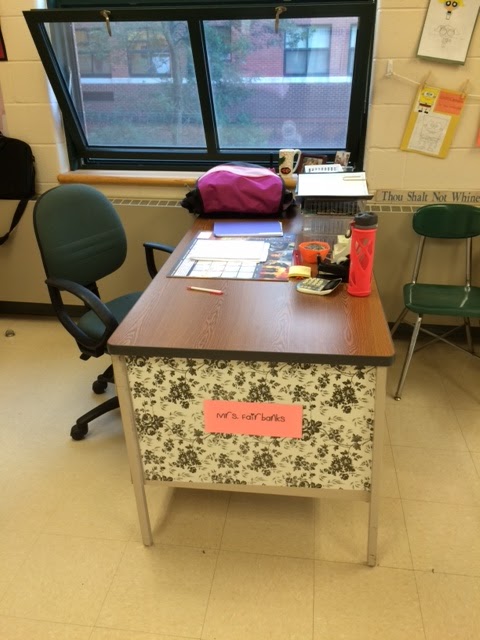
Next is my desk nook.  This is my 11th year teaching and my first year not sharing a room.  That means I earned more corner desk space and an additional closet.  Yippee!

My desk:
My computer.  We did get Apple TV as well, so once that gets hooked up, we will go wireless!  What an exciting year!
My new favorite decoration comes from last year's student work.  They had to make a picture using equations and constraints in desmos.com.  I love having these pictures up and telling my new algebra 2 kids that they will be doing that in the spring.  They don't believe they will be able to, but they will!  It is great incentive.  I didn't know how I could get them all hung on the wall to actually stay on the wall, so I bought Command strips and grabbed some clothesline and pinned the pictures up. 
I love having my monthly calendar at the back of the room so I can see it and refer to it.  I made it a little smaller this year to leave more room for students to work at the board.  I am lucky to have whiteboards at the front and back of the room.
And, finally, this is my bulletin/cork board with some old and some new.  I made a 3x3 ft Sudoku puzzle with 12x12 in scrapbook paper and index cards to make little pockets to hold the numbers.  I wanted something interactive.  I also have the two older things from past summers to the right - the standard equations for transformations and the mindset poster.  Up above I have my textbooks, old catapults we make in Algebra 1.  To the left, I have my student center to sharpen pencils, get tissues, and sign out.


That's my room.  Bring on the kids!


Friday, June 19, 2015

Paint Parabolas

In my small math class (only 4 kids on this day), we rolled marbles in paint and then rolled them to make parabolas.  This idea is from Alex Overwijk @AlexOverwijk and his website: Slam Dunk Math

I didn't have too many details but I knew I wanted to use it as an activity to culminate our lesson on quadratics.  We would bring together what we knew about the properties of a quadratic graph and then do systems and regression with it using Desmos.

I tried the activity at home by rolling the marble in paint and making it roll on paper.  It didn't go very smoothly or in a parabolic shape.  I tweeted @AlexOverwijk for help.  He told me I should add a little water to the paint, perfect!

I had the kids pair up (all 4 of them) and practice rolling the marbles. 


Then, we went to the good paper - the big grid paper I bought so they could roll for real.  The first person rolled theirs and the other person had to roll it in the other direction so it would intersect twice - ah the pressure.  They didn't work out perfectly in one shot, but we went with it.  The kids could see the grids below but you may not be able to.


They did great and it went more quickly than I anticipated.  The whole lesson was one hour.

After they rolled for real, we cleaned up and took out the computers.  They need to find 10 good points on each of their lines and create a table of values.  Then, we turned to Desmos to do the regression.  They found the equations of each of their lines and then entered both into Desmos so they could find the point of intersection and "solve the system".  They had to continue and tell me each of the properties of their graphs as well - the vertex, the y-intercept, the x-intercepts, and the axis of symmetry. 

They did a great job and I thought it wrapped up the unit nicely.  Thanks Alex!


Sunday, May 31, 2015

Solve Me Puzzles

If you haven't been to Solve Me Puzzles, check it out here: Solve Me Puzzles

It is about balancing mobiles and look something like this:

They are great!  I heard about them at NCTM in April and we have been doing them in my small math class since then.  We do three a day.  You can have the students do them on the computer, but I take a screen shot and add it to my powerpoint.  Then, the kids work on individual whiteboards to answer them.  I love the natural progression of difficulty. 

And, surprise, after a while, gasp, fractions might be needed.  In the example above, the kids would cut 6 in half and see that each branch will equal 3, but then, you have to divide 3 in half, so they discover they will need fractions and not just 1/2.  It comes naturally to them after doing so many.

We have gotten so good at them, that I thought it was time to make our own.  As we worked on the daily three, I asked a few leading questions - as we think about designing our own, do you think it is easier or harder to have a bigger number at the top?  Some kids said bigger numbers because you have more numbers to work with.  One boy decided his total number was going to be 3.  He likes a challenge.  Sometimes, one of the shape values might be given.  I asked when that might be.  We looked at our daily three and figured that out too.

I gave them some parameters.  They had to be at least 3 branches and use at least three shapes. 

As one student was making his own, he declared, "I am going to work backwards.  I am going to make my 4 shapes have numbers and then make the puzzle." 

It lead to some good thought process.  After they made them, they had to decide if they needed to give the students any shape values.  Some did and some didn't.

Here are there finished Solve Me Puzzles.  After they finished, we swapped whiteboards and they solved each others. 


 In the above puzzle, you need to be told the triangles are 12, if I recall correctly.


Tuesday, May 12, 2015

Speed Dating with Rationals

I love speed dating.  I have done it before and it is something I look forward to.  We did it today in Algebra 1 with multiplying and dividing rational expressions.  They each get a problem and a white board.  They become the expert on their problem, meaning they do it, check their answer with me, and remember their answer.  Then they pair up and switch problems with the person across from them.  If they need help, they check with the expert across from them, not me.  It takes a little while to get started as I make sure everyone has the correct answers, but then I can just sit back and listen and watch.

Great conversations heard:
"You can't cancel across" (meaning if they are both in the numerator - egads, no!)
"Don't tell me the answer.  How am I going to learn how to do it?"
"Take your time."
"Simplify your problem.  Simplify your relationship." (being pun-ny with 'speed dating')